healthslips.com.au Pty Ltd (healthslips.com.au) has partnered with ItsMy Group Pty Ltd (ItsMy Group) for the provision of health insurance products. By proceeding, you agree that ItsMy Group will use your personal information for the purposes of providing advice to you on health insurance products and assisting you with arranging cover if you decide to proceed with a purchase. Not all policies can be discussed or purchased over the phone. If you click 'Talk to an expert' and our specialists cannot assist with your preferred policy, they will tell you and offer to discuss alternatives or provide you with contact details for your preferred policy.
ItsMy Group and healthslips.com.au will collect, store and use your information in accordance with the ItsMy Group Privacy Policy and the healthslips.com.au Privacy Policy.
The ItsMy Group is a signatory to the Private Health Insurance Intermediaries Code of Conduct.
If you’re looking for the best health insurance policy that meets your specific health needs and budget, the healthslips.com.au calculator is your new BFF. Not only is it one of the only health comparison tools in Australia that compares every single policy on the market without any bias, it has some unique features that can help you focus in on the best health insurance for you. Even better, you can use it for free, without having to enter any contact details, and without getting pressured to buy a policy. Here, we explain how to get the best results from the healthslips.com.au calculators to find the right health insurance for you.
Which calculator should I use?
There are 3 calculators available at healthslips.com.au:
Calculate new policy – helps you find a new health insurance policy if you’re new to health insurance
Compare existing policy – helps you compare your existing health insurance policy with other relevant policies on the market
You do not have to enter your age, health conditions or income as these do not affect your policy price.
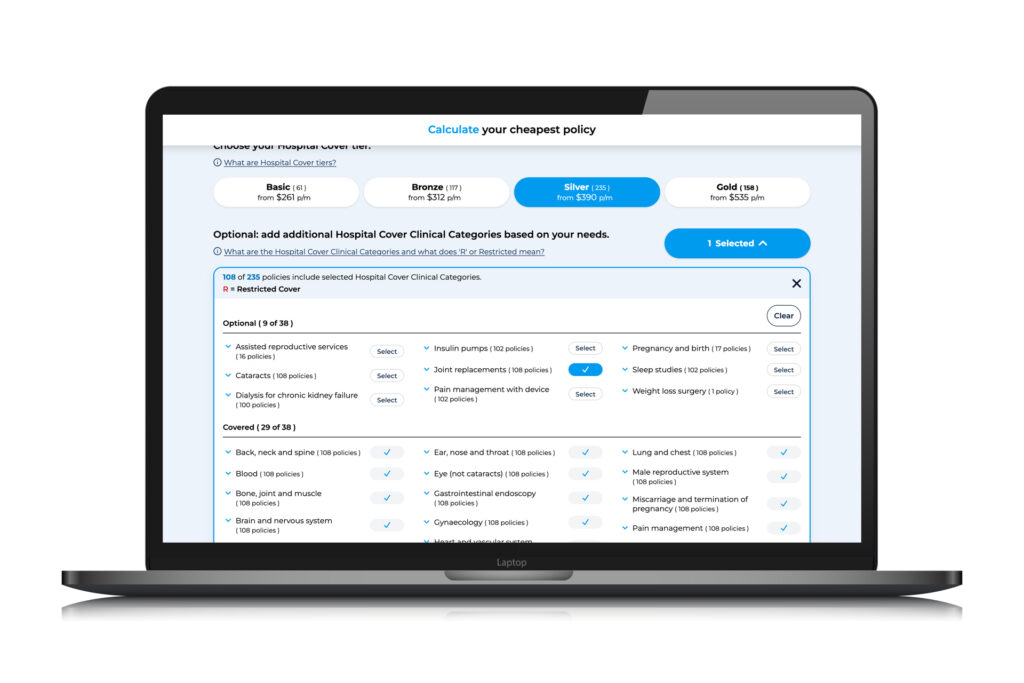
If you want cover for a specific hospital service or treatment, such as joint replacements, our calculator makes it easy. Click on ‘add additional Hospital Cover clinical categories based on your needs’ and select ‘joint replacements’. The calculator will tell you how many policies are available at the tier of cover you’ve selected. If it’s ‘0’ you’ll be able to adjust your cover tier to find policies that meet your needs.
Our Help Centre is there to guide you at every step.
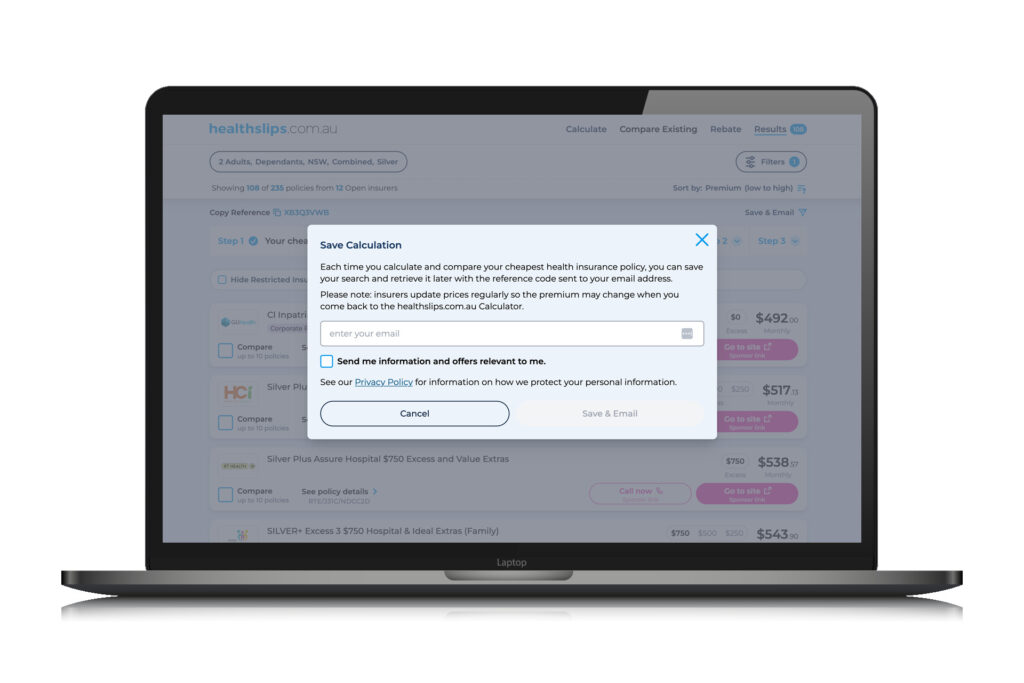
Save and email your results
You can easily save your calculator results and come back later, or have them emailed to you and your partner.
Filter and focus your preferences
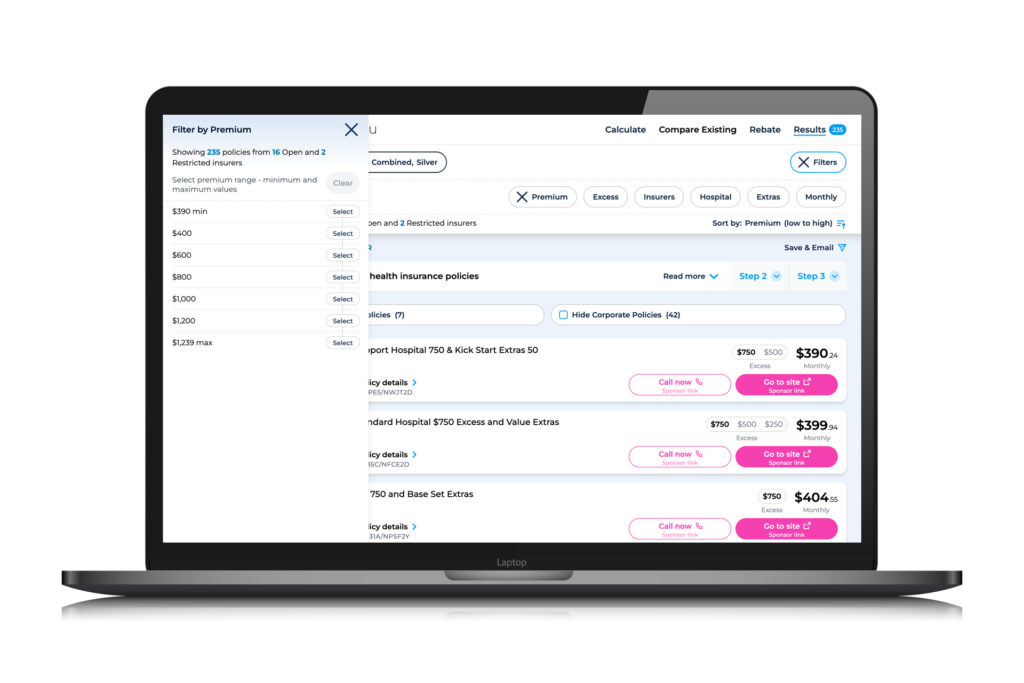
The ‘filters’ function allows you to display policies which fit the:
Premium range – to suit your household budget
Excess – to see how the excess will affect your premium
Insurers – be confident you’re comparing every health insurer
Hospital services – to suit what you need Hospital Cover for
Extras treatments – to suit what treatments you need cover for
Billing frequency – depending on how you want to pay your insurer (weekly, monthly or yearly).
Filter restricted insurers and corporate policies
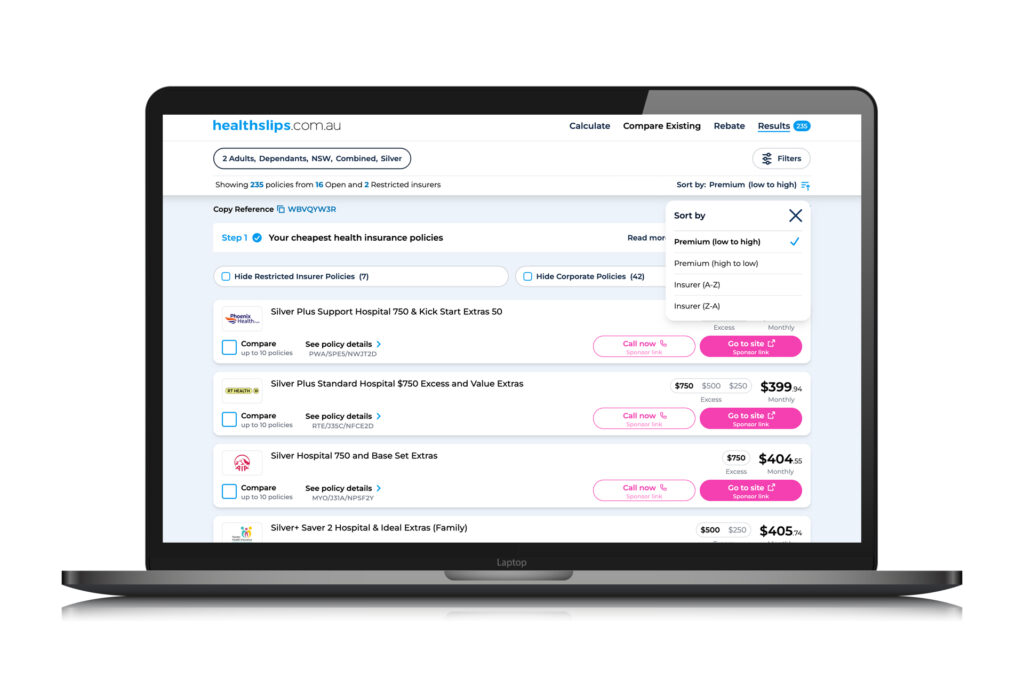
By choosing ‘hide restricted insurer policies’ and ‘hide corporate policies’, you can eliminate options you might not qualify for. So if you’re not eligible for cover with a restricted insurer, for example, or you don’t work for a workplace that offers corporate policies, you can hide these types of policies.
You can also sort your results – premiums low to high or high to low, and insurers alphabetically.
Compare and show differences
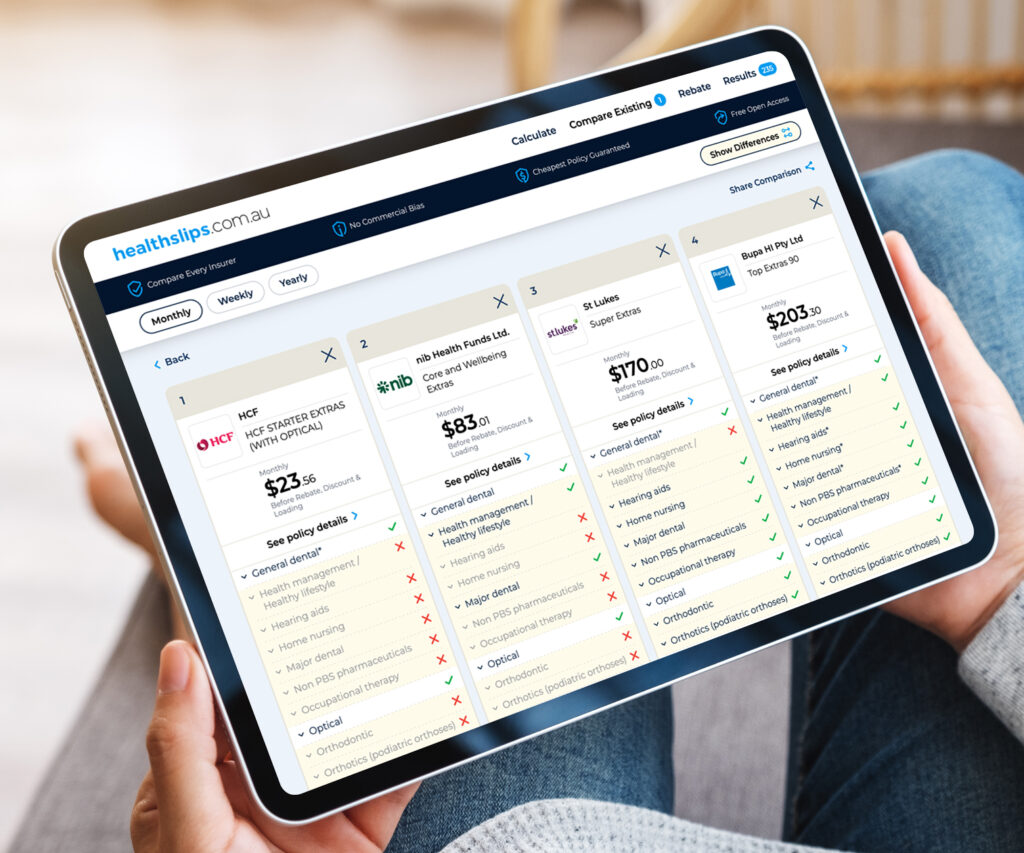
The more options you have, the better your chances of finding the best deal. Our calculator allows you to select up to 10 policies, and they don’t have to be the same type of cover – for example, comparing a Bronze policy with Bronze Plus, Silver and Gold policies. This allows you to see, in an instant, whether upgrading to a higher tier could give you better value for money.
It’s easy to compare the inclusions and costs of different policies side by side, thanks to our ‘Show differences’ button – it makes comparisons a cinch and is one of our best features. When you hit the ‘show differences’ button, our Compare page will highlight how the policies are different. That means you can easily see what’s included in one policy but not in another, and where the levels of cover vary.
Then, click through to the policy detail to see exactly what’s covered.
Knowledge is power – that’s the guiding principle behind everything Trudie writes, and it’s a philosophy she brings to her work at healthslips.com.au. By breaking down complex information into easy-to-understand blogs and stories, she aims to empower Australians to make the best choices and an informed decision around private health insurance.
Trudie understands firsthand some of the complexity of private health insurance having moved to Australia from New Zealand and having to navigate a vastly different public healthcare system and health insurance structure.
Trudie holds a Bachelor of Communication Studies (journalism major) from the Auckland University of Technology.